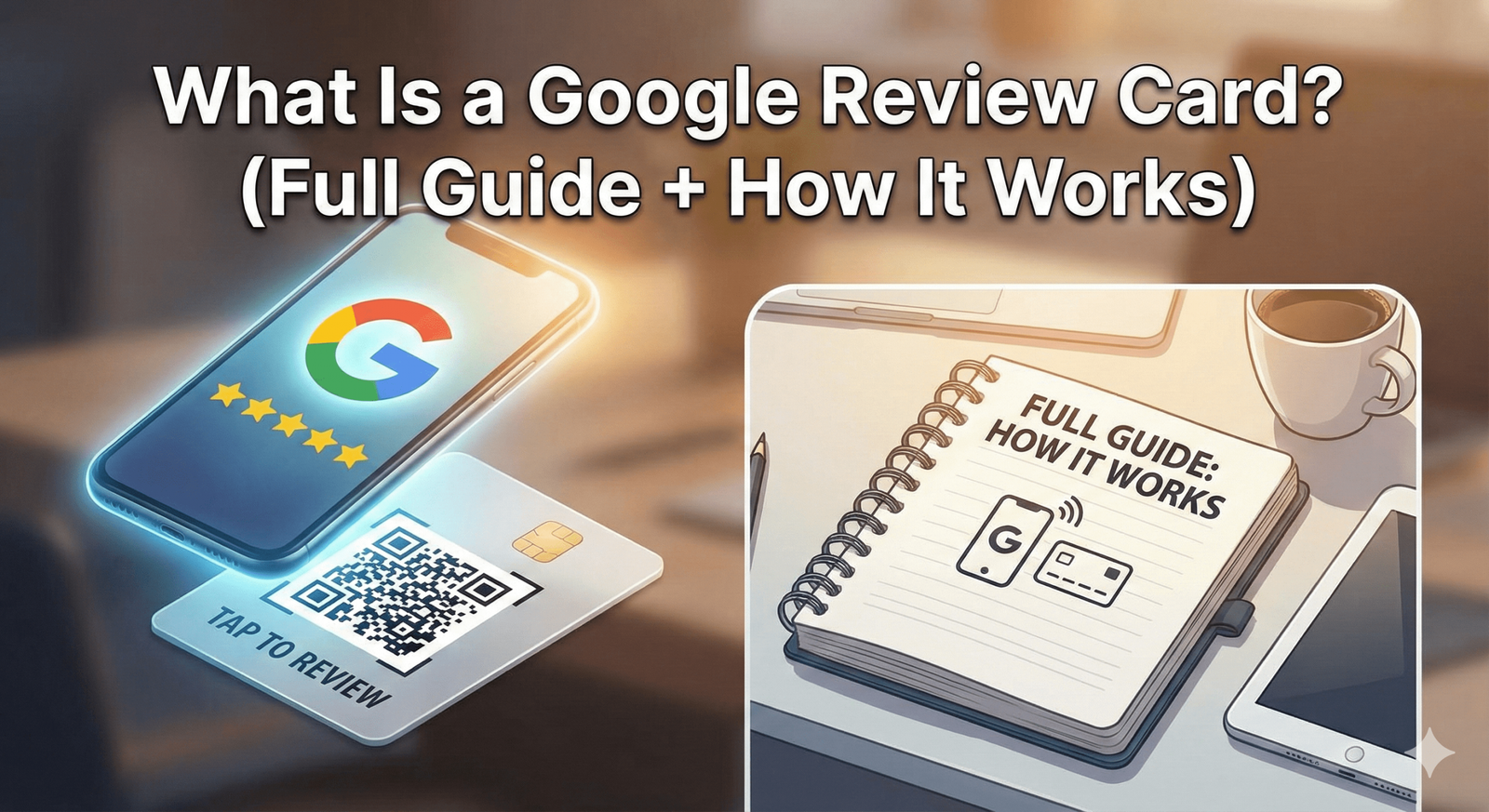
A complete breakdown of what Google Review Cards are, how they work, and why they’ve become the #1 review growth tool for local businesses.
Google Reviews are now one of the strongest trust and ranking signals in Local SEO. But most businesses struggle to collect them consistently. That’s where Google Review Cards come in.
In this guide, you’ll learn:
- What a Google Review Card actually is
- How it works (step by step)
- Why does it outperform email & SMS
- How it helps SEO, Maps & conversions
- Which businesses benefit most
- How to use it correctly (and ethically)
- Why does Google fully allow it
Let’s break it down clearly.
⭐ What Is a Google Review Card?
A Google Review Card is a physical NFC-enabled card (often with a QR code) that allows customers to instantly open your Google Review page with a simple tap or scan.
Instead of asking customers to:
- Search your business on Google
- Find the correct listing
- Scroll to reviews
- Click “Write a review”
The card removes every step.
👉 One tap → Google review page opens instantly
That’s it.
No apps.
No typing.
No confusion.
No friction.
🔍 What Makes a Google Review Card Different?
A Google Review Card is NOT:
❌ A software tool
❌ A paid review service
❌ A review automation bot
❌ A review manipulation method
❌ A Google policy loophole
It is simply a shortcut that sends customers directly to the official Google Review form for your business.
Google allows this because:
- The customer initiates the action
- The review is written by the customer
- There’s no filtering or incentive
- There’s no manipulation of sentiment
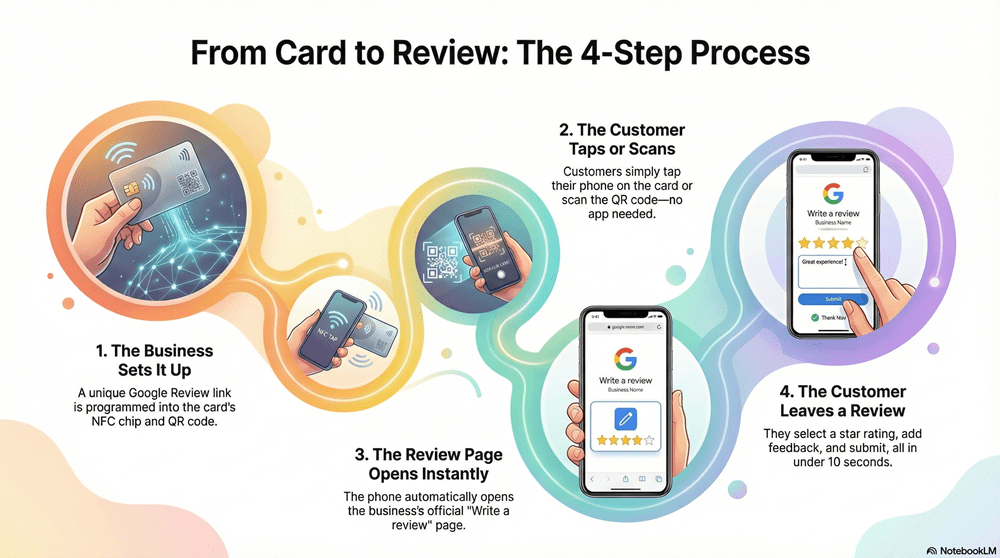
🔥 How a Google Review Card Works (Step by Step)
Here’s exactly what happens:
Step 1: The Business sets up the card
The card is programmed with your unique Google Review link.
Example:
- NFC chip → Google review URL
- QR code → same Google review URL
Step 2: Customer taps or scans
The customer:
- Tap their phone on the card (NFC), OR
- Scans the QR code with their camera
No app required.
Step 3: Google Review page opens
Their phone opens:
- Your official Google Business Profile
- Directly on the “Write a review” screen
Step 4: Customer leaves a review
They:
- Select star rating
- Write feedback (short or long)
- Submit
Done in under 10 seconds.
⭐ Why Google Review Cards Work So Well
The secret isn’t technology — it’s human behaviour.
People don’t leave reviews because:
- The process feels long
- They forget later
- They don’t want to search
- They’re unsure how
- They get distracted
Google Review Cards fix ALL of that by:
✔ Removing friction
✔ Capturing the emotional peak
✔ Creating instant action
✔ Making reviews effortless
This is why businesses often double or triple reviews within 30–60 days.
📊 Google Review Card vs Email & SMS
| Method | Avg Conversion Rate |
|---|---|
| Email review requests | 3–7% |
| SMS review requests | 5–10% |
| QR code only | 8–15% |
| Google Review Card (NFC) | 20–40% |
NFC wins because it happens in real time, not hours or days later.
🧠 Is a Google Review Card Allowed by Google?
Yes — 100%.
Google explicitly allows:
- Asking customers for reviews
- Sharing review links
- Making the review process easier
What Google bans:
❌ Fake reviews
❌ Incentives
❌ Review gating
❌ Filtering unhappy customers
A Google Review Card does NONE of these. It simply opens the review page.
🎯 Which Businesses Should Use Google Review Cards?
Google Review Cards work best for in-person or service-based businesses, including:
- Restaurants & cafés
- Barbers & salons
- Clinics & dentists
- Gyms & PTs
- Plumbers & electricians
- Cleaners
- Mechanics
- Retail stores
- Hotels & hospitality
- Real estate agents
- Mobile services
- Events & expos
If you serve real customers face-to-face, a Review Card will work for you.
⭐ How to Use a Google Review Card Correctly (Best Practices)
1. Ask at the right moment
Right after service = highest success.
Script:
“If you enjoyed your visit today, you can just tap here to leave us a quick review.”
2. Keep it ethical
Never say:
- “Only if you’re happy”
- “Please give us 5 stars”
- “You’ll get a discount”
Always ask for honest feedback.
3. Make it visible
Use the card alongside:
- Review stands
- Review plaques
- Review stickers
Visibility increases usage.
4. Train staff
Staff should:
- Know when to ask
- Know what to say
- Feel confident
- Treat reviews as normal
🔥 Google Review Cards vs Other Review Tools
Google Review Cards
✔ Instant
✔ Physical
✔ No tech skills needed
✔ High conversion
✔ In-person friendly
Email/SMS tools
❌ Delayed
❌ Ignored
❌ Low response
❌ Requires data capture
Review software platforms
❌ Monthly fees
❌ Complex dashboards
❌ Often use gated flows
Review Cards are simple, direct, and powerful.
🧠 FAQ: Google Review Cards
Do Google Review Cards work on all phones?
Yes — all modern iPhones and Android devices support NFC or QR scanning.
Can I change the review link later?
Yes — most NFC cards can be reprogrammed.
Do customers need an app?
No — just their phone.
Are Google Review Cards better than QR codes?
Yes — NFC is faster and more intuitive, especially for older users.
Will Google penalise me for using them?
No — they fully comply with Google’s policies.
🏁 Final Thoughts: Why Google Review Cards Are Essential
Reviews influence:
- Rankings
- Visibility
- Trust
- Clicks
- Conversions
- Revenue
A Google Review Card is the simplest, safest, and most effective way to increase reviews — without software, spam, or policy risk.
If you want:
✔ More reviews
✔ Better Local SEO
✔ Higher Map Pack rankings
✔ Stronger trust
✔ Faster growth
This tool should be part of your business.
👉 NFC Google Review Cards
👉 Google Review Stands
👉 Google Review Plaque
👉 Google Review Stickers
👉 Smart NFC Wristband
👉 Multi Review Card
These tools turn happy customers into real reviews — instantly.